Devices
Devices represent app installations that receive live updates. You can view a list of devices that have installed your app and that at least once connected to the Capawesome Cloud.
Manage Devices
You can manage devices associated with your app using the Capawesome CLI or the Capawesome Cloud Console.
Create a device
Devices are created automatically when a user checks for a live update for the first time by calling the fetchLatestBundle(...) or sync() method from the Live Update plugin.
Force a channel
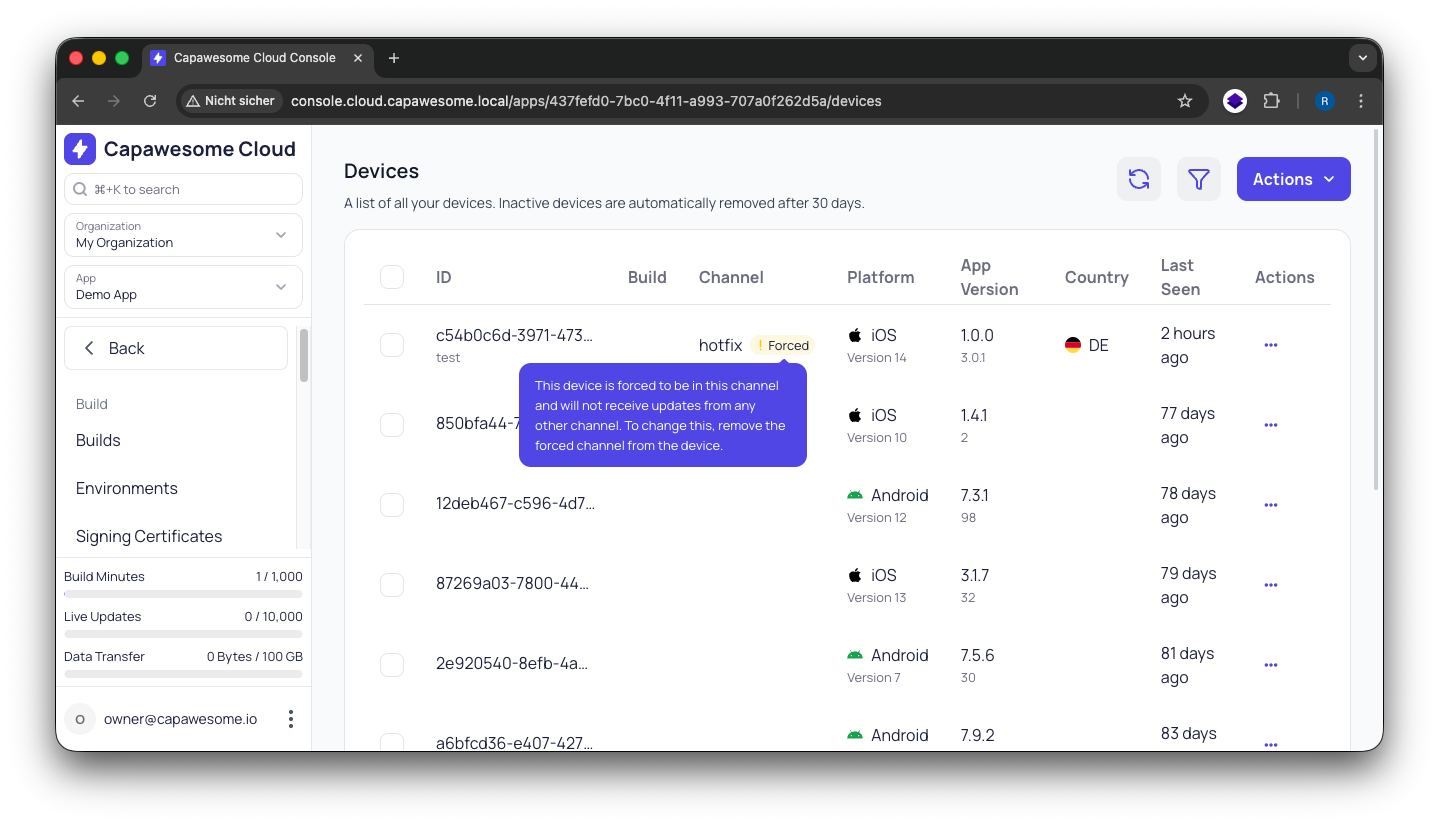
By default, devices receive live updates from the channel set by the Live Update SDK. You can override this by forcing a specific channel on a device. When a channel is forced, the SDK-selected channel is ignored and the device receives updates exclusively from the forced channel instead. This can be useful for debugging, testing, or manually managing the channel for a specific device. Read our blog post for more details and use cases.
To force a channel on a device using the Capawesome CLI, use the apps:devices:forcechannel command:
You will be prompted to select the app and provide the device ID and channel name.
To remove the forced channel and return to normal SDK behavior, use the apps:devices:unforcechannel command:
To force a channel on a device using the Capawesome Cloud Console, navigate to the app you want to force the channel for, and click on the Devices menu item under the "Live Updates" section in the sidebar. Next, click on "Edit" in the "Actions" menu of the device you want to force a channel for. In the dialog, select the channel you want to force and confirm the changes.
Delete a device
A device can be deleted at any time.
To delete a device using the Capawesome CLI, use the apps:devices:delete command:
You will be prompted to select the app you want to delete the device for and to provide the ID of the device. The CLI will then delete the device from the Capawesome Cloud.
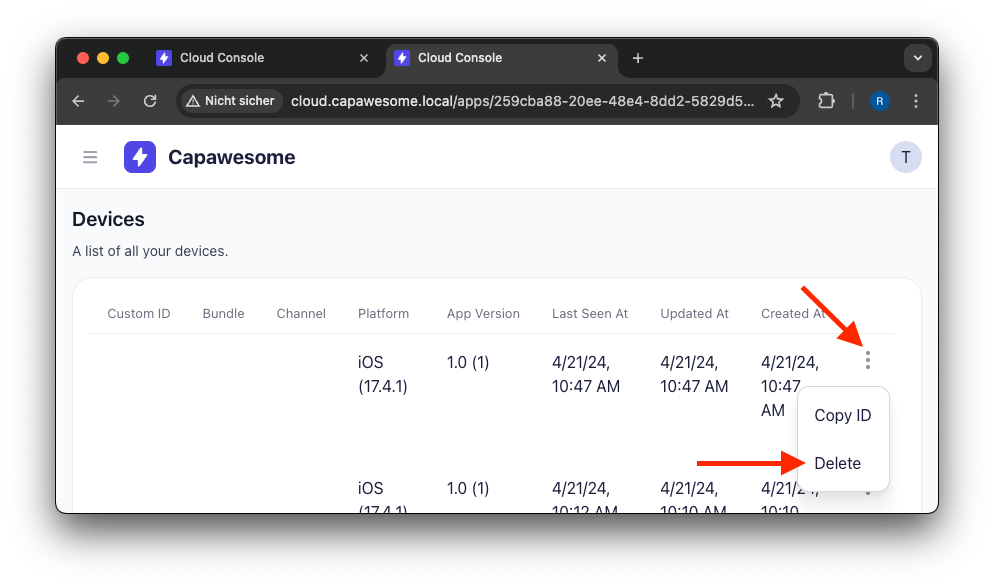
To delete a device using the Capawesome Cloud Console, navigate to the app you want to delete the device for, and click on the Devices menu item under the "Live Updates" section in the sidebar. Next, select the device you want to delete. In the menu, click on the "Delete" button to delete the device.
Please note that deleting a device will not lower your Monthly Active Users (MAU) count as this is based on unique devices that have connected within the current billing period.